
MANDATORY REQUIREMENT
Per Notice of Race Section 10.2 and Sailing Instructions Section 2.1, all entries in the 2026 Newport Bermuda Race are required to install and use the Nautical Cloud Racing App.
At least one crew member per entry must have the Racing App installed on an on-board mobile device, have App Permissions (“Can Declare”) and have linked the App to their account on the Sailor Portal.
The Nautical Cloud Racing App connects every crew member directly to race operations.
- Receive instant push notifications when Notices of Race, Sailing Instructions, or amendments are published—no email hunting required.
- Get alerts for start time changes, course modifications, and schedule revisions as soon as the Race Office publishes them.
- Complete your mandatory pre-start check-in directly from the boat—no paper, no radio queue, and no check-in gate to find.
- Submit your finish declaration the moment you cross the finish line from any device on board with the app installed.
Find, Install & Connect

Download the App
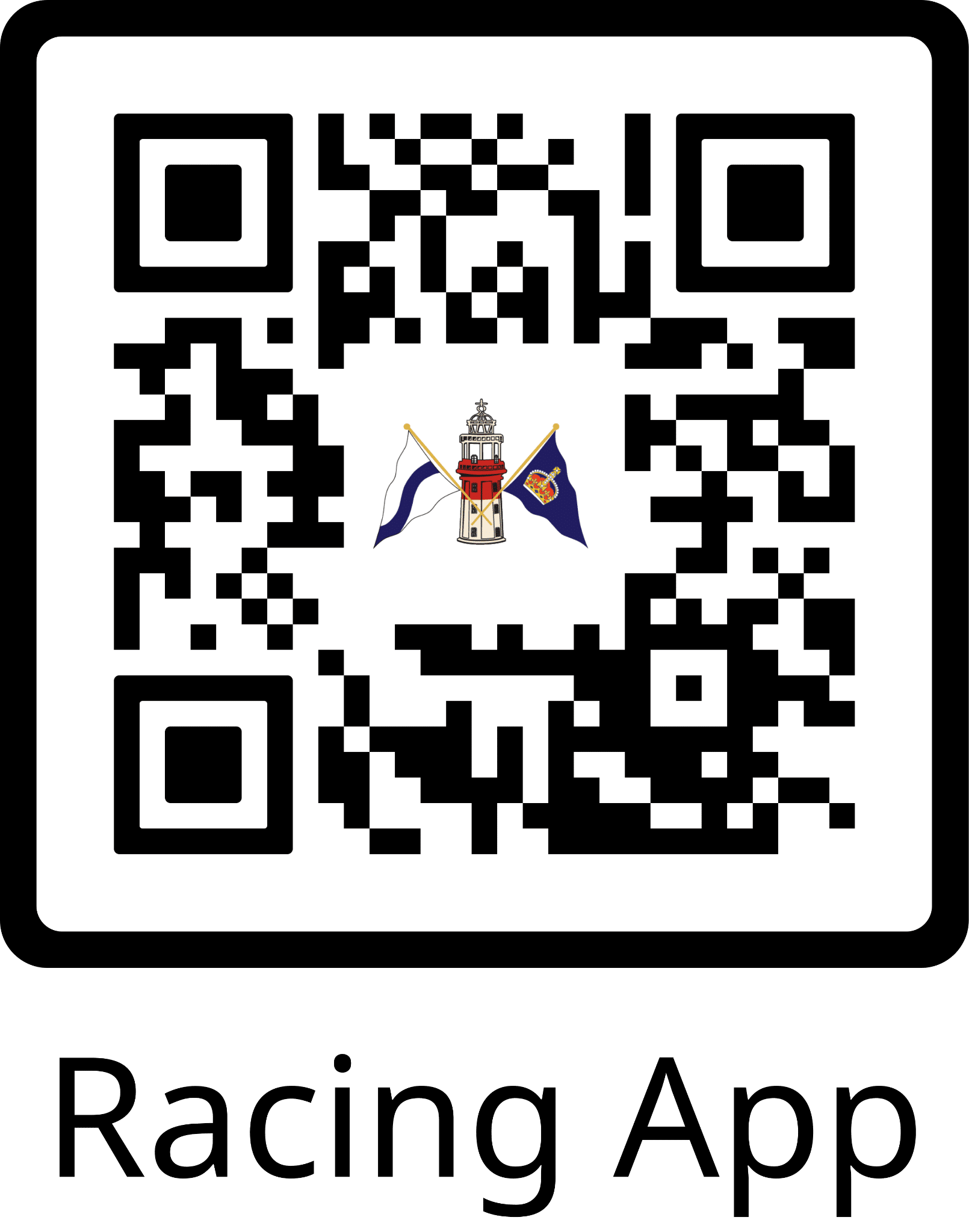
Visit https://www.nautical-cloud.com/racingapp/ or scan the QR Code for the links to the appropriate Apple App Store or Google Play Store links. Install the free app published by Nautical Cloud Ltd.
- Open the App and connect using your email address
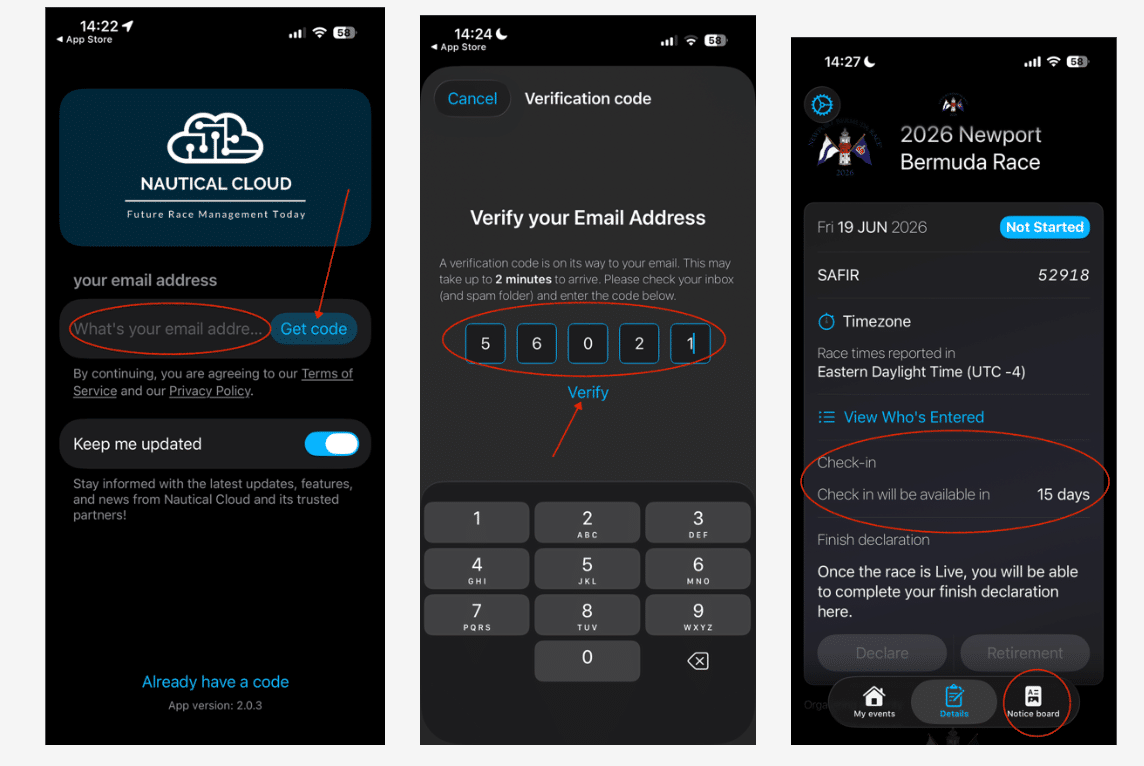
On the welcome screen, enter your email address and press ‘Get code’. You must enter the same email address you use to access your account on the Sailor Portal. Enter the code from your email on the verify screen in the app. This will link the Racing App to your account in the Sailor Portal.
- View Race Details
Your Newport Bermuda Race entry will appear automatically, linked to your Sailor Portal account. Tap the event to open your race page. The Notice Board is accessible from the bottom menu.
- Enable Notifications
If prompted, allow push notifications. This ensures you receive immediate alerts for document releases, start time changes, race committee broadcasts, and other important race information
Set App Permissions to Declare
All crew members are encouraged to install the Racing App for access to documents and race updates. However, check-in and finish declarations require specific permissions.
The following roles in the entry system automatically have Declare Rights using the App:
- Person in Charge (PIC)
- Reserve Person in Charge (RPIC)
- Skipper / Co-Skipper
These users may complete check-in and finish declarations.
To add Declare Permissions to Additional Crew
The Entry Manager must:
- Log in to the Bermuda Race Sailor Portal.
- Open their race entry.
- Navigate to the ‘Crew’ page.
- Select ‘Allow App Permissions’ for each crew member who needs Declare Rights.
Minimum Requirement
At least one person on board with Declare Rights must have the Racing App and have linked their Racing App to their account on the Sailor Portal. The Race Committee strongly recommends granting App Permissions to two or more crew members as a backup.
On-Water Check-In
Check-in will be completed digitally through the Racing App. There is no VHF check-in and no physical check-in gate. A crew member with Declare Rights must complete these actions on behalf of the entry.
The Check In button will become active by two hours before your scheduled start time. Check in should be completed prior to the warning for your scheduled start.
To check in, press the ‘Check-In’ button, and Confirm the number of persons on board when prompted.
A green confirmation screen will appear indicating that check-in has been successfully completed. The Race Office is notified instantly.
Finish Declaration
Upon finishing, tap ‘Declare’ in the app and enter your finish time and other details on the app. The Race Office receives your Finish Declaration in real time. Note - your Finish Declaration may also be submitted by clicking on the link in the text message sent to boats after finishing.